
I discovered Kindle Recap by accident, and now I love it.
Here's the story:
I was recently at the cafe meeting with my friend Hannah to discuss a book we were reading together, The Master and Margarita. We are both huge readers and book people so we always arrive with a stack of books to share.
One of the books she arrived with was a well-worn copy of Jonathan Strange & Mr. Norrell that she had picked up at a used bookstore. I was so excited to see that she was reading it because I had been reading it back in January too.
Since we had finished The Master and Margarita so fast this summer, we decided to add it to our summer reading adventure. And because I had only read about 180 pages of it before stopping, we could still read it together.
Surprisingly, it was Piranesi, a book Hannah had gifted me last Christmas, that inspired me to pick up Jonathan Strange & Mr. Norrell in the first place.
When I went to check it out online, the Kindle version of Jonathan Strange & Mr. Norrell was on a one-day-only sale for $1.99. What are the chances?! I immediately grabbed the Kindle version and started reading. You know the rest.
The problem
The problem was that I had not picked up this novel since January. I figured I would have to start the novel over again - like I did multiple times with Dostoevsky's The Brothers Karamazov. I would read The Brothers Karamazov and, 200 pages in, get distracted by another novel and forget about it like a cursed reading loop. (I did finally read The Brothers Karamazov in 2024 after starting it over for the third time.)
Discovery
Lo and behold - when I opened my copy of Jonathan Strange & Mr. Norrell on my Kindle, a little message pops up on the screen and says something like "You have read 22% of this novel. Would you like a recap?" (Unfortunately, I didn't get a photo of this awesomeness.)
I was like "Yes, Please!" and tapped the button. A glorious and detailed recap pops up on the screen that only recaps what I have read. It was amazing. The story was refreshed in my mind and I was able to pick up where I left off.
Thank you, THANK YOU, Kindle for offering this very useful feature.
How to find it and use it:
It may or may not pop up immediately for you. I hadn't opened this novel since January so that is probably (and rightly assumed) I needed a recap.
So if the recap doesn't automatically open, follow these steps:
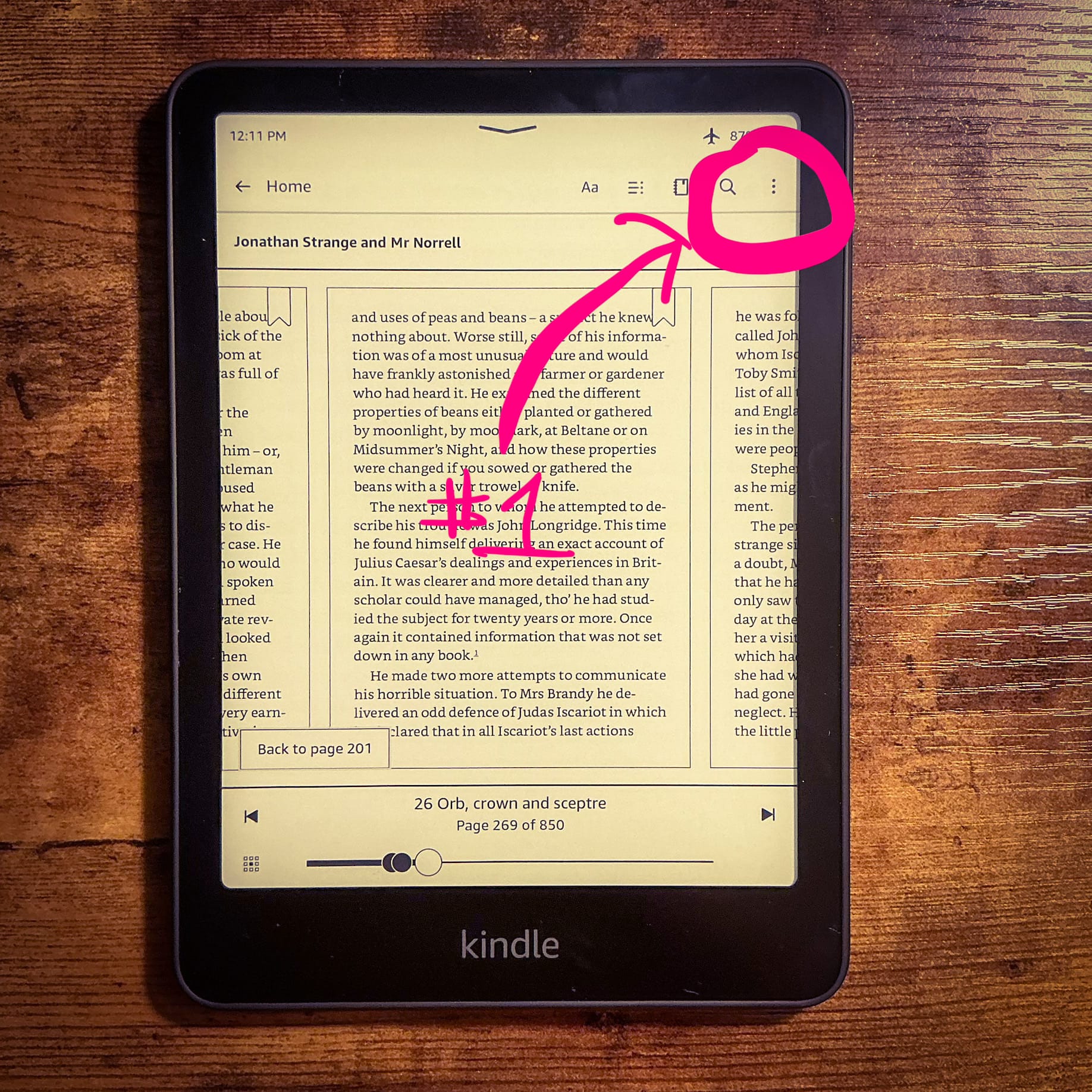
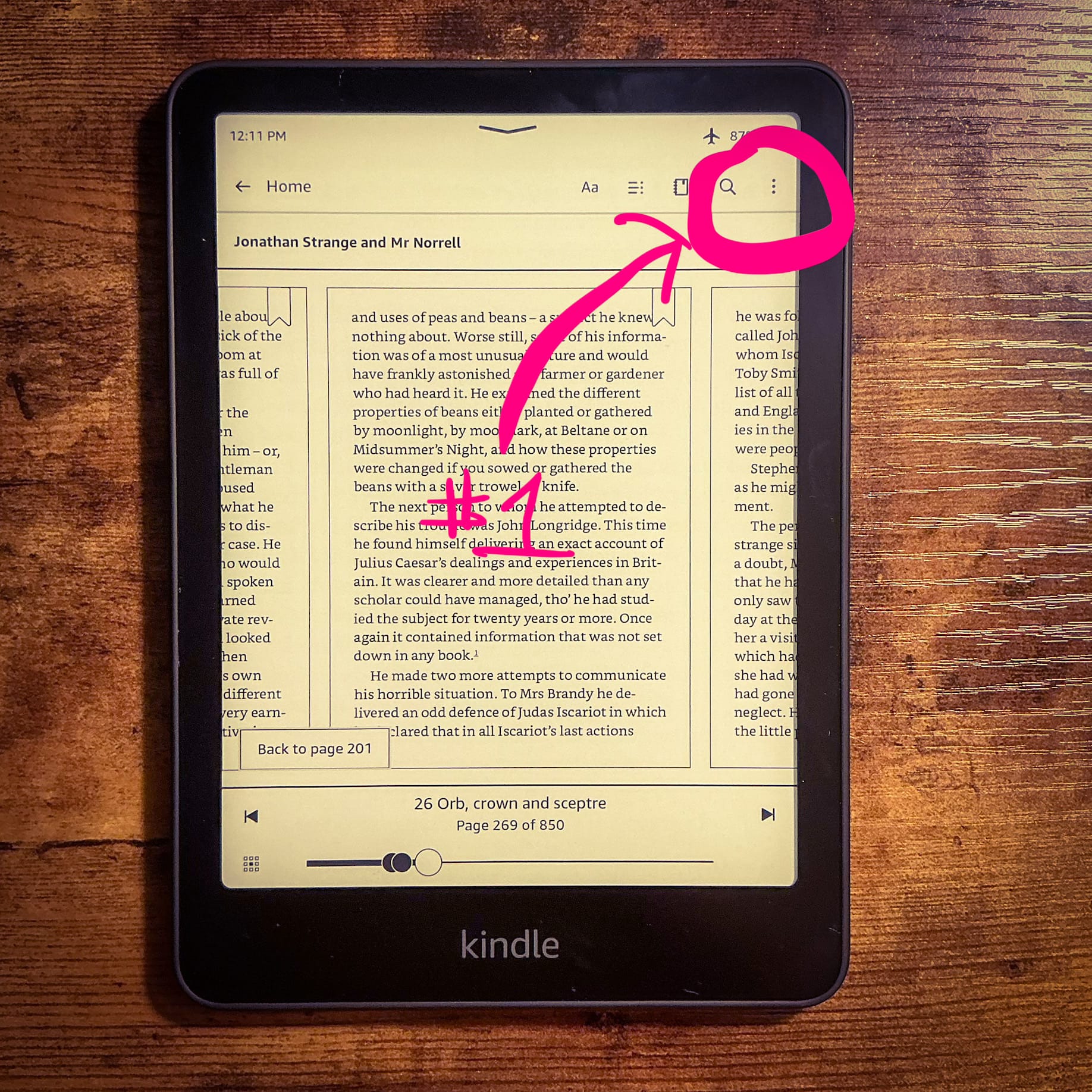
- Open the book you want a recap for and tap the three dots near the upper right corner.
(Note: Airplane Mode is on in my image, but you will need to turn Airplane Mode off to access the recap.)
- Tap "Recap".
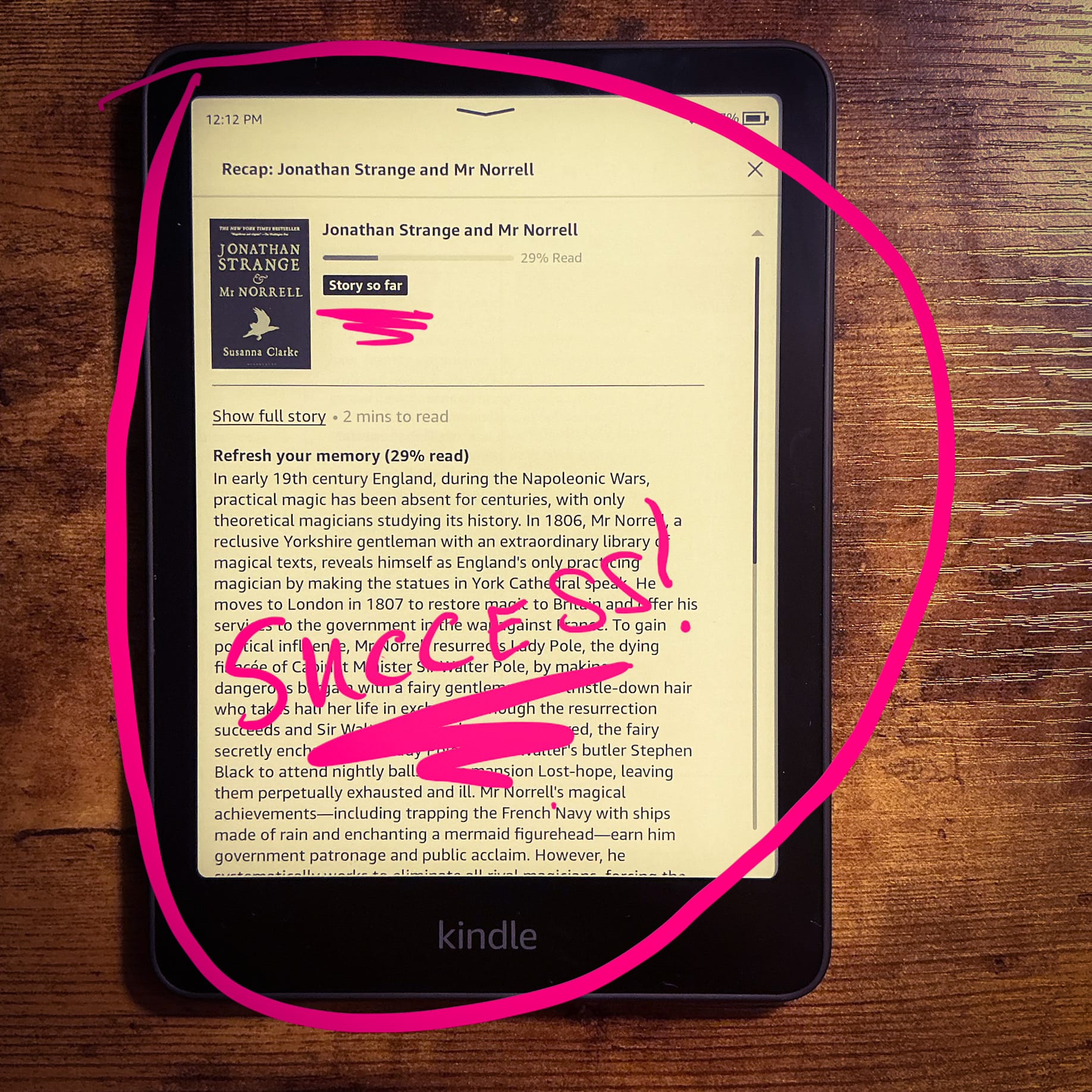
- Enjoy reading the recap and feel confident it will only show the "story so far".
If you don’t see it, that book may not support it yet, or your Kindle/app may need an update.
If you are reading a series, you can also find recaps for series books as well (yet another Kindle feature I stumbled upon by accident.)
Close
If you are anything like me and you start books or series and put them down for whatever reason, this feature is for you. The fact that they created it means I am not alone!
It’s so useful for anyone who reads:
- long books
- big series
- ADHD readers
- and anyone who starts ten books then acts surprised when memory fails
Although I am a physical book lover and have spent a lifetime buried in the pages of books, this is just one of the many reasons that I love reading on my Kindle too.